> ## Documentation Index
> Fetch the complete documentation index at: https://docs.fentufsm.com/llms.txt
> Use this file to discover all available pages before exploring further.
# Integrations
> Connecting Fentu FSM with other systems
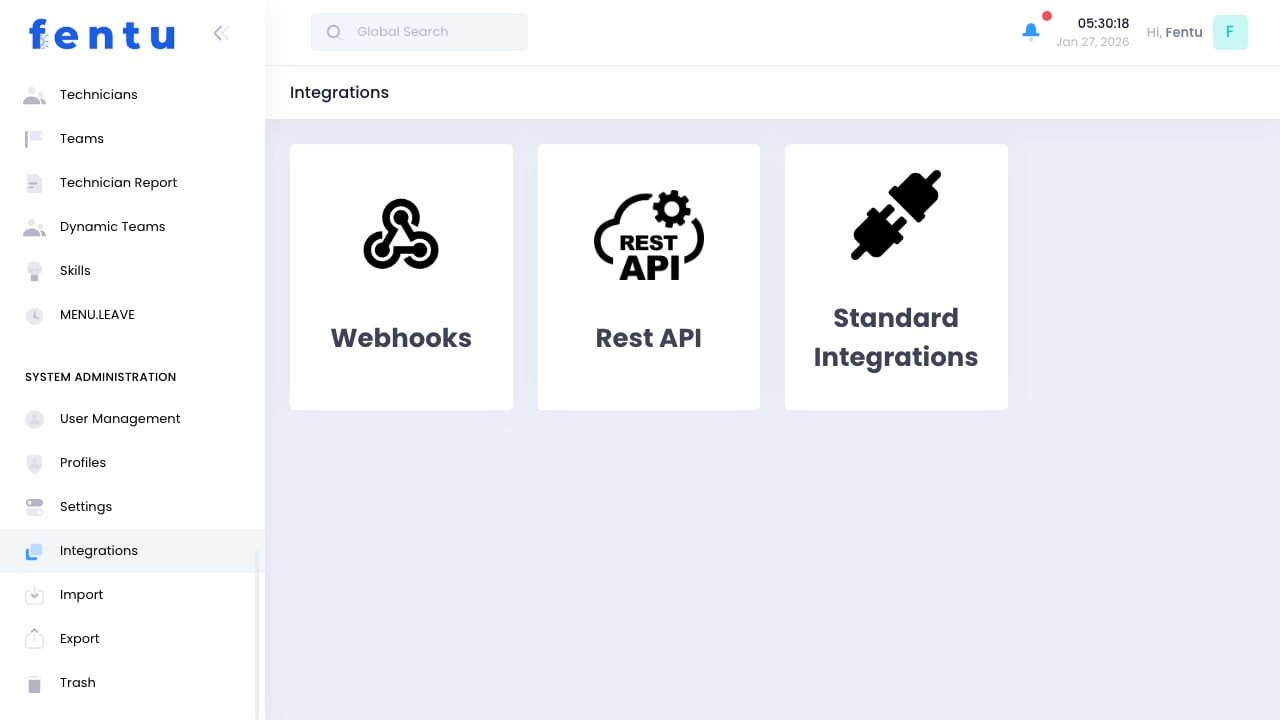 ## Overview
Integrations connect Fentu FSM with other business systems, enabling data synchronization and automated workflows across your technology stack. This includes ERP systems, accounting software, communication platforms, and more.
Integrations streamline operations by eliminating duplicate data entry and ensuring information flows automatically between systems.
## When to Configure Integrations
Set up integrations for:
* **ERP Sync** - Connect with SAP, Oracle, or other ERP systems
* **Accounting** - Sync invoices and payments
* **Communication** - Enable SMS, email, or messaging
* **Mapping** - Connect to mapping and routing services
* **Payment Processing** - Accept payments in the field
* **Custom Systems** - Connect to proprietary applications
***
## Available Integrations
### ERP Integrations
| System | Capabilities |
| ---------------------- | ------------------------------------- |
| **SAP Business One** | Customers, products, orders, invoices |
| **SAP ERP** | Full enterprise integration |
| **Microsoft Dynamics** | Customer and financial data |
| **Oracle** | Enterprise resource planning |
### Accounting Integrations
| System | Capabilities |
| -------------- | ----------------------------- |
| **QuickBooks** | Invoices, payments, customers |
| **Xero** | Financial synchronization |
| **Sage** | Accounting integration |
| **Custom** | API-based connections |
### Communication Integrations
| System | Capabilities |
| --------------- | ------------------------ |
| **Twilio** | SMS notifications |
| **SendGrid** | Email delivery |
| **Mailchimp** | Marketing communications |
| **Custom SMTP** | Email sending |
### Mapping & Routing
| System | Capabilities |
| --------------- | ----------------------------- |
| **Google Maps** | Address validation, routing |
| **Here Maps** | Location services |
| **Custom** | Alternative mapping providers |
For complex integrations, consider using Fentu Connect, our dedicated integration platform that provides visual mapping and transformation capabilities.
***
## Setting Up Integrations
Go to Administration > Integrations
Choose the system to connect
Provide API keys or authentication details
Map fields between systems
Choose what syncs and when
Verify the integration works
Enable the integration
### Authentication Methods
| Method | Description |
| --------------------- | ------------------------------ |
| **API Key** | Simple token-based access |
| **OAuth** | Secure delegated authorization |
| **Username/Password** | Basic authentication |
| **Certificate** | Certificate-based security |
Keep integration credentials secure. Use environment variables or secure vaults rather than storing credentials in plain text.
***
## Data Synchronization
### Sync Directions
| Direction | Description |
| ----------------- | ------------------------------------------ |
| **Inbound** | Data flows into Fentu from external system |
| **Outbound** | Data flows from Fentu to external system |
| **Bidirectional** | Data flows both ways |
### Sync Frequency
| Option | When |
| --------------- | ------------------------------------ |
| **Real-time** | Immediately when changes occur |
| **Scheduled** | At regular intervals (hourly, daily) |
| **Manual** | On-demand when triggered |
| **Event-based** | When specific events occur |
### Conflict Resolution
When the same data changes in both systems:
| Strategy | Behavior |
| ----------------- | ------------------------------ |
| **Fentu Wins** | Fentu data overwrites external |
| **External Wins** | External data overwrites Fentu |
| **Most Recent** | Newer timestamp wins |
| **Manual Review** | Conflicts flagged for review |
Choose conflict resolution based on which system is the "source of truth" for each data type.
***
## Managing Integrations
### Monitoring
Track integration health:
* **Last Sync Time** - When sync last ran
* **Record Count** - Items processed
* **Error Rate** - Failed records
* **Latency** - Sync delay time
### Error Handling
When syncs fail:
1. Review error logs
2. Identify failing records
3. Fix data issues
4. Retry failed items
5. Investigate root causes
### Maintenance
Regular integration maintenance:
* Review sync logs regularly
* Address errors promptly
* Update credentials before expiration
* Test after system updates
* Monitor performance
***
## Fentu Connect
For complex integration needs, Fentu Connect provides:
* **Visual Mapping** - Drag-and-drop field mapping
* **Transformations** - Data conversion and formatting
* **Scheduling** - Flexible sync scheduling
* **Monitoring** - Detailed sync tracking
* **Formula Language** - Custom data transformation
See the [Fentu Connect documentation](/fentu-connect/introduction) for details.
***
## Best Practices
Begin with basic integrations and add complexity as needed. Get core sync working before adding advanced features.
Test integrations with sample data before enabling production sync. Verify data maps correctly.
Check sync status regularly. Address errors before they accumulate.
Keep documentation of how fields map between systems. Helps with troubleshooting.
Use secure credential storage. Rotate credentials periodically.
Know how the integration handles when either system is unavailable.
***
## Common Questions
Contact Fentu support for custom integration options. Most systems with APIs can be integrated using webhooks or custom connectors.
Configure matching rules to identify existing records. Use unique identifiers (ERP ID, email) to prevent duplicates.
Yes, most integrations support initial historical sync. Schedule these during off-hours due to volume.
Data stops syncing but local operations continue. Fix the integration and run a catch-up sync.
Typically one integration per system type. For multiple instances (e.g., multiple accounting systems), contact support.
Set up the new integration, run parallel for a period, then disable the old one. Plan carefully to avoid data loss.
***
## Related Documentation
Advanced integration platform
API documentation
Manual data import
Data export
## Overview
Integrations connect Fentu FSM with other business systems, enabling data synchronization and automated workflows across your technology stack. This includes ERP systems, accounting software, communication platforms, and more.
Integrations streamline operations by eliminating duplicate data entry and ensuring information flows automatically between systems.
## When to Configure Integrations
Set up integrations for:
* **ERP Sync** - Connect with SAP, Oracle, or other ERP systems
* **Accounting** - Sync invoices and payments
* **Communication** - Enable SMS, email, or messaging
* **Mapping** - Connect to mapping and routing services
* **Payment Processing** - Accept payments in the field
* **Custom Systems** - Connect to proprietary applications
***
## Available Integrations
### ERP Integrations
| System | Capabilities |
| ---------------------- | ------------------------------------- |
| **SAP Business One** | Customers, products, orders, invoices |
| **SAP ERP** | Full enterprise integration |
| **Microsoft Dynamics** | Customer and financial data |
| **Oracle** | Enterprise resource planning |
### Accounting Integrations
| System | Capabilities |
| -------------- | ----------------------------- |
| **QuickBooks** | Invoices, payments, customers |
| **Xero** | Financial synchronization |
| **Sage** | Accounting integration |
| **Custom** | API-based connections |
### Communication Integrations
| System | Capabilities |
| --------------- | ------------------------ |
| **Twilio** | SMS notifications |
| **SendGrid** | Email delivery |
| **Mailchimp** | Marketing communications |
| **Custom SMTP** | Email sending |
### Mapping & Routing
| System | Capabilities |
| --------------- | ----------------------------- |
| **Google Maps** | Address validation, routing |
| **Here Maps** | Location services |
| **Custom** | Alternative mapping providers |
For complex integrations, consider using Fentu Connect, our dedicated integration platform that provides visual mapping and transformation capabilities.
***
## Setting Up Integrations
Go to Administration > Integrations
Choose the system to connect
Provide API keys or authentication details
Map fields between systems
Choose what syncs and when
Verify the integration works
Enable the integration
### Authentication Methods
| Method | Description |
| --------------------- | ------------------------------ |
| **API Key** | Simple token-based access |
| **OAuth** | Secure delegated authorization |
| **Username/Password** | Basic authentication |
| **Certificate** | Certificate-based security |
Keep integration credentials secure. Use environment variables or secure vaults rather than storing credentials in plain text.
***
## Data Synchronization
### Sync Directions
| Direction | Description |
| ----------------- | ------------------------------------------ |
| **Inbound** | Data flows into Fentu from external system |
| **Outbound** | Data flows from Fentu to external system |
| **Bidirectional** | Data flows both ways |
### Sync Frequency
| Option | When |
| --------------- | ------------------------------------ |
| **Real-time** | Immediately when changes occur |
| **Scheduled** | At regular intervals (hourly, daily) |
| **Manual** | On-demand when triggered |
| **Event-based** | When specific events occur |
### Conflict Resolution
When the same data changes in both systems:
| Strategy | Behavior |
| ----------------- | ------------------------------ |
| **Fentu Wins** | Fentu data overwrites external |
| **External Wins** | External data overwrites Fentu |
| **Most Recent** | Newer timestamp wins |
| **Manual Review** | Conflicts flagged for review |
Choose conflict resolution based on which system is the "source of truth" for each data type.
***
## Managing Integrations
### Monitoring
Track integration health:
* **Last Sync Time** - When sync last ran
* **Record Count** - Items processed
* **Error Rate** - Failed records
* **Latency** - Sync delay time
### Error Handling
When syncs fail:
1. Review error logs
2. Identify failing records
3. Fix data issues
4. Retry failed items
5. Investigate root causes
### Maintenance
Regular integration maintenance:
* Review sync logs regularly
* Address errors promptly
* Update credentials before expiration
* Test after system updates
* Monitor performance
***
## Fentu Connect
For complex integration needs, Fentu Connect provides:
* **Visual Mapping** - Drag-and-drop field mapping
* **Transformations** - Data conversion and formatting
* **Scheduling** - Flexible sync scheduling
* **Monitoring** - Detailed sync tracking
* **Formula Language** - Custom data transformation
See the [Fentu Connect documentation](/fentu-connect/introduction) for details.
***
## Best Practices
Begin with basic integrations and add complexity as needed. Get core sync working before adding advanced features.
Test integrations with sample data before enabling production sync. Verify data maps correctly.
Check sync status regularly. Address errors before they accumulate.
Keep documentation of how fields map between systems. Helps with troubleshooting.
Use secure credential storage. Rotate credentials periodically.
Know how the integration handles when either system is unavailable.
***
## Common Questions
Contact Fentu support for custom integration options. Most systems with APIs can be integrated using webhooks or custom connectors.
Configure matching rules to identify existing records. Use unique identifiers (ERP ID, email) to prevent duplicates.
Yes, most integrations support initial historical sync. Schedule these during off-hours due to volume.
Data stops syncing but local operations continue. Fix the integration and run a catch-up sync.
Typically one integration per system type. For multiple instances (e.g., multiple accounting systems), contact support.
Set up the new integration, run parallel for a period, then disable the old one. Plan carefully to avoid data loss.
***
## Related Documentation
Advanced integration platform
API documentation
Manual data import
Data export