
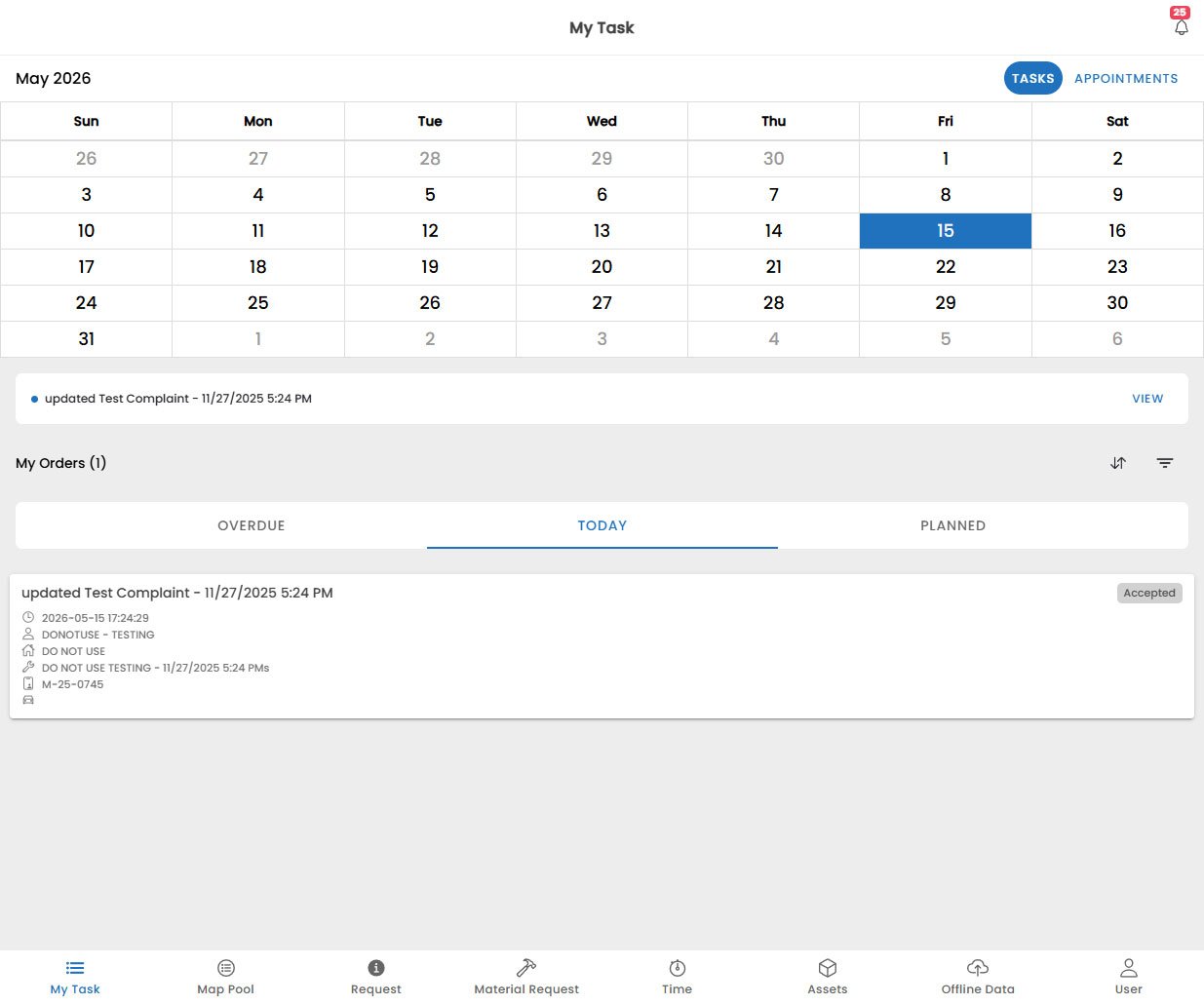
Using the App Navigation
To change any page in the app, use the bottom navigation bar to switch between the main sections:- My Tasks: View and manage your assigned work orders and tasks.
- Map: See your scheduled tasks and customer locations on an interactive map.
- Request: Create new service requests and view notifications from the back office.
- Material Request: Submit and track material requests for parts and supplies.
- Time Tracking: Log your work hours and breaks for accurate timekeeping.
- Assets: View and manage the assets you are working on, including serial numbers and maintenance history.
- Offline Data: Check the status of your offline data and sync any unsynced work.
- User: Manage your profile, preferences, and app settings.