
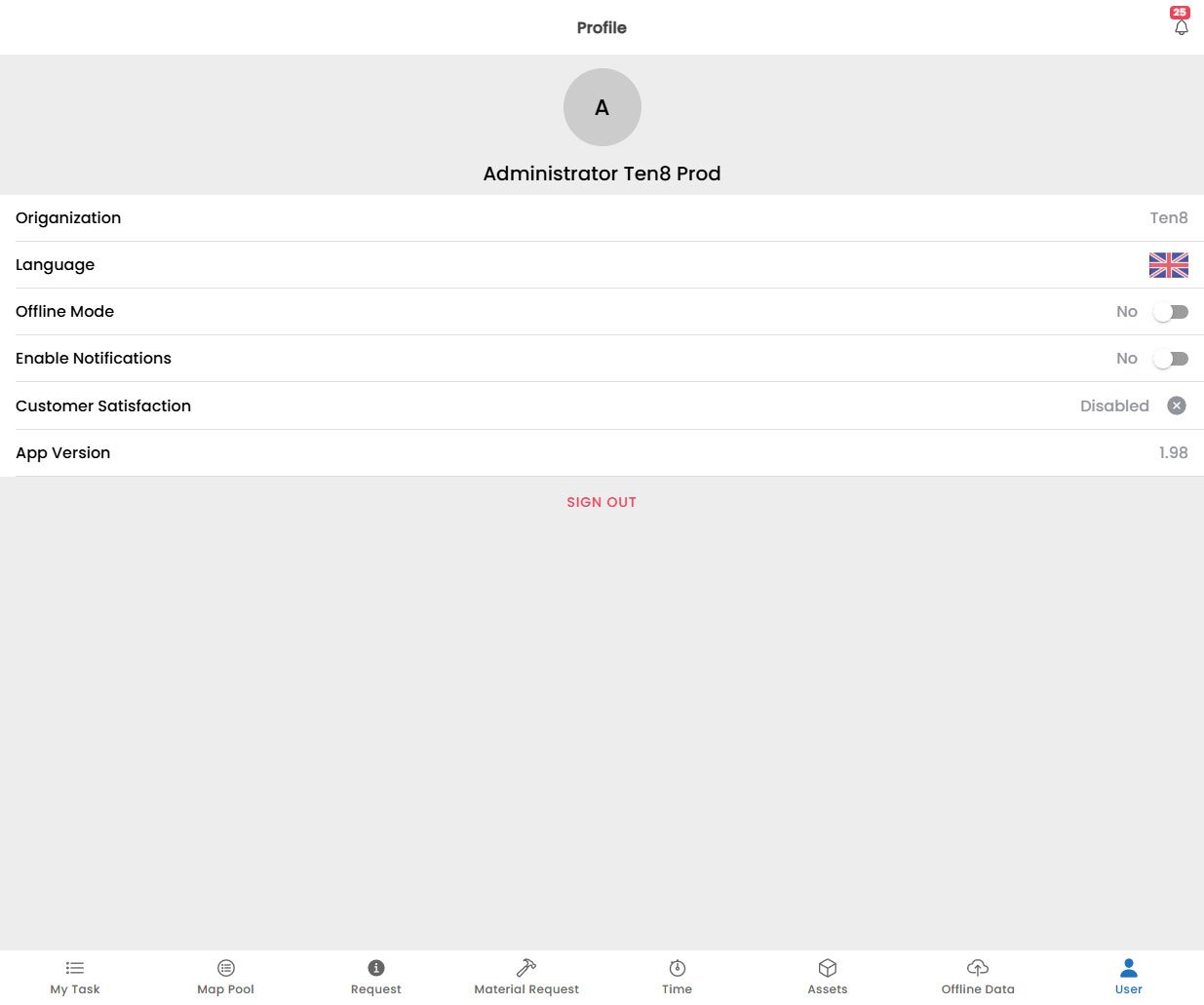
User Profile Screen

Overview

The User screen is your personal hub within the Fentu Mobile Technician app. Here you can view your profile information, manage app preferences. Access the User screen by tapping the User icon in the bottom navigation bar.

Profile Information

The top section of the User screen displays your personal profile:
FieldDescription
OriganizationCurrent connected Origanization
LanguageCurrent language set for the application
Offline ModeToggle Offline/Online mode
Enable NotificaitonsEnable Application Notifications
Customer SatisfactionShow Customer Satisfaction screen when completing a task
App VersionCurrent application version

Logging Out

To log out of the app:
  1. Scroll to the bottom of the User screen.
  2. Tap Log Out.
  3. Confirm the action in the dialog that appears.
Logging out clears your session and any locally cached data. Make sure all offline changes are synced before logging out. See Offline Data for how to verify sync status.