Overview
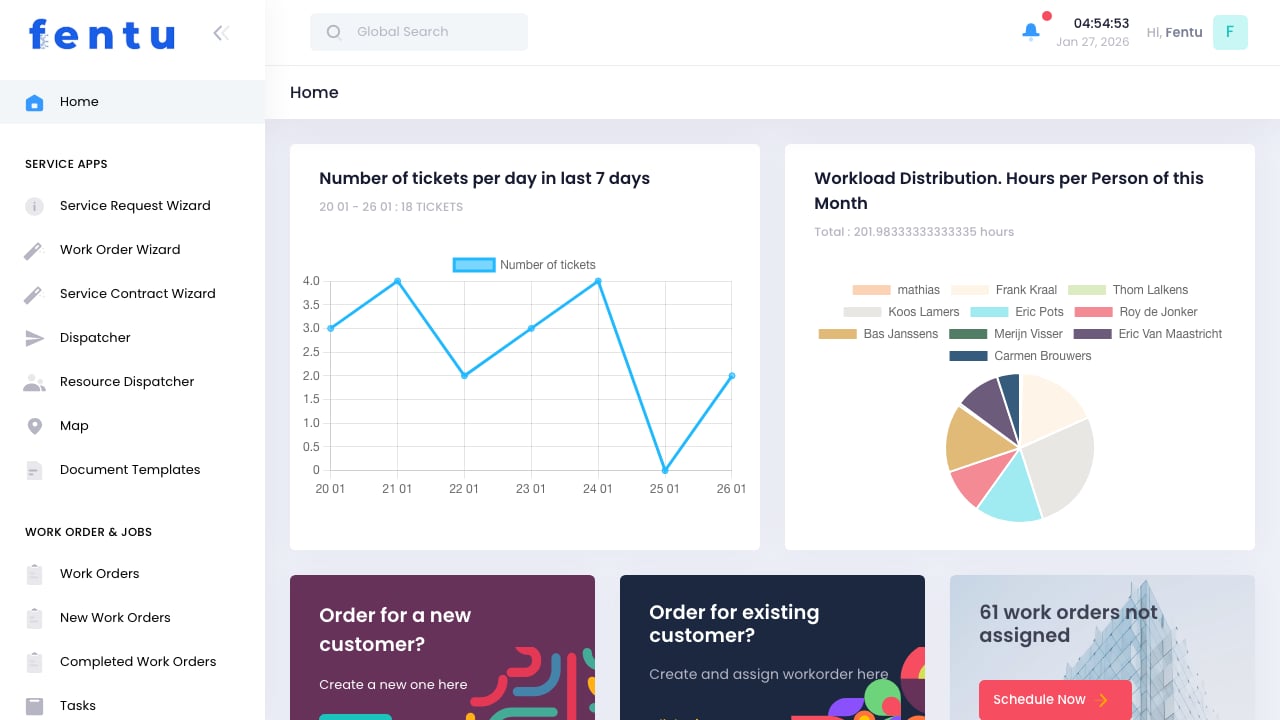
Fentu FSM is a powerful Field Service Management platform designed to streamline your entire service operation - from receiving customer requests to completing work orders and invoicing. Whether you’re managing HVAC installations, equipment maintenance, or any field service operation, Fentu provides the tools you need to optimize your workflow.
Fentu FSM integrates seamlessly with Fentu Connect for ERP synchronization, and provides dedicated mobile apps for technicians in the field.
Key Features
Work Order Management
Create, assign, and track work orders from initial request through completion. Full visibility into job status, materials used, and time spent.
Intelligent Dispatching
Schedule technicians based on skills, location, and availability. Drag-and-drop scheduler with map view for route optimization.
Customer & Asset Management
Maintain complete customer records including contacts, locations (objects), and equipment (assets) with full service history.
Service Contracts
Create recurring service agreements with automated scheduled maintenance generation and contract lifecycle tracking.
Platform Capabilities
Fentu FSM provides a complete solution for managing field service operations:| Module | Description |
|---|---|
| Service Apps | Wizards for creating work orders, service requests, and contracts. Dispatcher for scheduling. |
| Work Orders & Jobs | Track all work orders, tasks, material requests, and quotations |
| Customer Management | Customers, contacts, locations (objects), assets, and asset parts |
| Service Management | Service contracts, scheduled maintenance, service requests, complaints, and time tracking |
| Inventory | Products, parts, checklists, warehouses, vehicles, and tools |
| Workforce | Technicians, teams, dynamic teams, skills, and leave management |
| Administration | User management, profiles, system settings, integrations, import/export |
How It Works
Receive Service Request
Capture customer service needs through the Service Request Wizard or direct work order creation
Create Work Order
Use the Work Order Wizard to define the job scope, assign assets, and specify required tasks
Schedule & Dispatch
Use the Dispatcher to assign work orders to available technicians based on skills and location
Execute Field Work
Technicians complete tasks, log time, record parts used, and capture signatures via mobile app
Application Menu Structure
The Fentu FSM application is organized into the following sections:Service Apps
- Service Request Wizard - Capture incoming customer service needs
- Work Order Wizard - Create new work orders with guided steps
- Service Contract Wizard - Set up recurring service agreements
- Dispatcher - Calendar-based work order scheduling
- Resource Dispatcher - Resource-focused scheduling view
- Map - Geographic view of work orders and technicians
- Document Templates - Create custom document layouts
Work Order & Jobs
- Work Orders - View and manage all work orders
- New Work Orders - Queue of newly created work orders
- Completed Work Orders - Archive of finished jobs
- Tasks - Individual task management
- Material Requests - Track parts requests
- Quotations - Create and manage quotes
- Branch - Multi-branch management
Customer Management
- Customers - Customer database
- Contacts - Customer contact persons
- Objects - Customer locations/sites
- Assets - Equipment under service
- Asset Parts - Components of assets
Service Management
- Service Contracts - Recurring service agreements
- Scheduled Maintenances - Automated maintenance schedules
- Service Requests - Incoming service needs
- Complaints - Customer issue tracking
- Time - Time entry management
Getting Started
Work Order Wizard
Create your first work order with the guided wizard
Dispatcher
Learn how to schedule and assign work to technicians
Customer Management
Set up your customer database
API Reference
Integrate Fentu with your existing systems