
Overview
Service Contracts are formal agreements between you and your customers that define ongoing service relationships. Contracts specify which assets are covered, what services are included, how often maintenance occurs, and pricing terms. They transform one-time service calls into predictable, recurring revenue.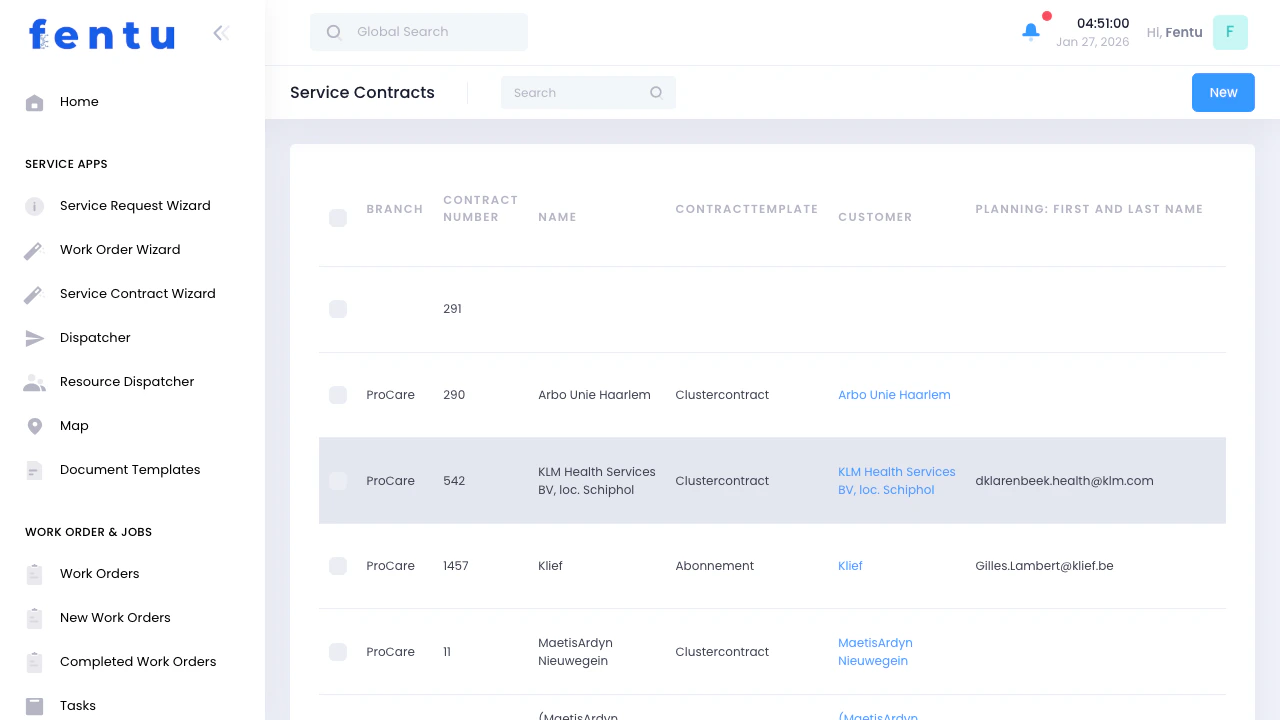
When to Use Service Contracts
Use Service Contracts when you need to:- Establish recurring service agreements with customers
- Define preventive maintenance schedules for customer equipment
- Create predictable revenue streams
- Differentiate premium service offerings
- Ensure consistent service delivery
- Build long-term customer relationships
- Automate work order creation for regular maintenance
Service Contracts List View
Key Features
Contract Status
Contract Status
Customer Information
Customer Information
Contract Details
Contract Details
Quick Actions
Quick Actions
Contract List Columns
Creating a New Service Contract
Click 'New Service Contract'
Select Customer
Choose Template (Optional)
Enter Contract Details
Add Covered Assets
Define Maintenance Schedule
Assign Tools (Optional)
Save and Generate Schedule
Service Contract Detail View
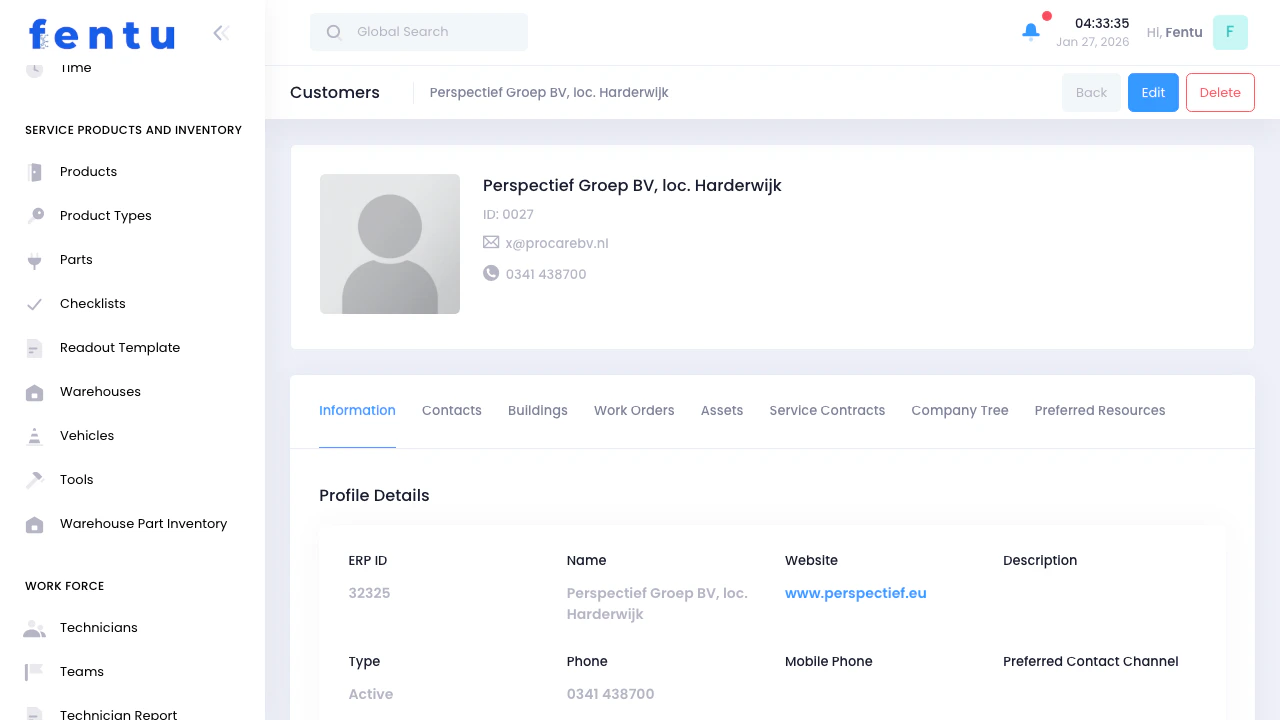
Detail View Sections
Contract Information
Contract Information
- Contract name and ID
- Customer and contact information
- Contract template used
- Start and end dates
- Status and renewal information
- Pricing and payment terms
- Service scope and exclusions
Covered Assets
Covered Assets
- Asset name and type
- Serial number and location
- Coverage level (full, labor only, parts only, inspection only)
- Link to asset details
Scheduled Maintenances
Scheduled Maintenances
- Maintenance name and frequency
- Next scheduled date
- Assigned technician or team
- Status (Active, Paused, Completed)
- Link to create work order
Tools Required
Tools Required
- Tool name and type
- Availability status
- Who it’s assigned to
- Calibration or certification status
Document Templates
Document Templates
- Inspection reports
- Maintenance certificates
- Safety compliance documentation
- Customer sign-off forms
Work Order History
Work Order History
- Date and description
- Technician assigned
- Time spent
- Parts used
- Customer feedback
Contract Notes
Contract Notes
- Customer preferences or requirements
- Access restrictions or site-specific procedures
- Billing notes or special terms
- Historical context or modifications
Contract Information Fields
Basic Information
Contract Period
Service Scope
Maintenance Schedule
Pricing
Performance Metrics
Understanding Contract Components
How Assets Link to Contracts
When you add assets to a contract, you’re defining exactly what equipment is covered. For each asset, specify: Coverage Type:- Full Coverage - All maintenance, repairs, parts, and labor included
- Labor Only - Service visits and labor covered, customer pays for parts
- Parts Only - Replacement parts covered, customer pays labor
- Inspection Only - Regular inspections covered, repairs quoted separately
How Scheduled Maintenances Are Generated
When you save a contract with a planning frequency:- System Creates Scheduled Maintenance Records - One for each maintenance cycle
-
Maintenance Includes:
- Linked assets (what to service)
- Service date (based on frequency)
- Tasks to complete (from contract terms)
- Assigned technician or team
- Estimated duration
- Work Orders Are Auto-Created - When the scheduled date approaches, Fentu creates work orders automatically
Tools and Equipment
Link tools to contracts when specialized equipment is required: Examples:- Refrigerant recovery equipment for Machine contracts
- Multimeters and testers for electrical contracts
- Confined space equipment for tank/vessel contracts
- Specialized diagnostic tools for specific machinery
- Technicians know what to bring
- Tool availability is checked before scheduling
- Reduces wasted trips for missing equipment
- Tracks tool usage and maintenance
Contract Actions
From the List View
View Details
Edit Contract
Generate Work Order
Suspend Contract
Renew Contract
Terminate Contract
From the Detail View
When viewing a contract, you can:- Add or remove covered assets
- Modify scheduled maintenances
- View work order history and performance metrics
- Generate reports (contract value, service completion rate, profitability)
- Upload signed contract documents
- Add contract notes and special instructions
- Assign tools and equipment
- Link document templates
Contract Templates
Creating Standard Templates
Build reusable contract templates for common scenarios: Example Templates:- Basic Machine Annual - 2 visits per year, filter changes, visual inspections
- Premium Machine Quarterly - 4 visits per year, full system checks, priority service
- Elevator Monthly - Monthly inspections per code requirements
- Generator Quarterly - Load testing, fluid changes, battery service
- Consistent pricing across customers
- Faster contract creation
- Standardized service delivery
- Easier training for new staff
Template Components
Each template should define:- Service frequency and tasks
- Included and excluded services
- Response time SLAs
- Pricing structure
- Required tools and equipment
- Standard document templates
Tips and Best Practices
Define Clear Coverage Terms
Define Clear Coverage Terms
- “Includes all routine maintenance and minor repairs under $500”
- “Excludes abuse, neglect, or damage from other contractors”
- “Parts over $1000 require customer approval before ordering”
Use Contract Templates
Use Contract Templates
- Basic/Standard tier
- Premium/Comprehensive tier
- Equipment-specific agreements
- Inspection-only agreements
Link All Covered Assets
Link All Covered Assets
- Technicians know exactly what’s covered
- You can track per-asset service history
- Contract value matches actual equipment count
- You catch when customers add equipment without contract modification
Set Realistic Maintenance Frequencies
Set Realistic Maintenance Frequencies
- Machine: 2x per year (spring and fall)
- Elevators: Monthly (often required by code)
- Generators: Quarterly with annual load test
- Fire systems: Varies by component and code requirements
Build in Price Escalation
Build in Price Escalation
- “Prices increase by 3% annually”
- “Prices adjusted by CPI each year”
- “First year rate locked, subsequent years market rate”
Use Auto-Renewal Strategically
Use Auto-Renewal Strategically
- Clearly disclose auto-renewal terms
- Send renewal notices well in advance (60-90 days)
- Make cancellation process reasonable
- Consider regulations in your jurisdiction
Track Contract Profitability
Track Contract Profitability
- Actual hours vs estimated hours
- Emergency calls vs scheduled maintenance
- Parts costs if covered by contract
- Customer satisfaction and retention
Document Special Requirements
Document Special Requirements
- Site access procedures (gate codes, check-in requirements)
- Customer preferences (specific technician, after-hours only)
- Equipment quirks or known issues
- Billing preferences or special terms
Common Questions
What's the difference between a contract and a work order?
What's the difference between a contract and a work order?
- Contract = The relationship (like a gym membership)
- Work Order = Individual visits (like each gym visit)
How do scheduled maintenances get created?
How do scheduled maintenances get created?
- What needs to be done
- How often it happens
- Which assets to service
Can I add assets to an existing contract?
Can I add assets to an existing contract?
- Customer buys new equipment
- You discover equipment not originally included
- Customer wants to expand coverage
What happens when a contract expires?
What happens when a contract expires?
- Status changes to “Expired”
- Scheduled maintenances stop generating new work orders
- Existing open work orders can still be completed
- Contract remains in system for historical reference
Can I suspend a contract temporarily?
Can I suspend a contract temporarily?
- Customer location is closed for renovation
- Equipment is offline for extended period
- Seasonal business (shut down winter months)
- Customer requested pause due to budget constraints
How do I handle contract modifications?
How do I handle contract modifications?
- Date of modification
- What changed (added assets, pricing update, frequency change)
- Who approved the change
- New pricing or terms
Should I use auto-renewal?
Should I use auto-renewal?
- Higher renewal rates (customers forget to cancel)
- Predictable revenue
- Less administrative work
- Some customers dislike auto-renewal
- May face regulatory requirements
- Can damage relationships if not clearly disclosed
How do I price service contracts?
How do I price service contracts?
- Estimate annual hours needed
- Add cost of consumable parts
- Apply margin (20-40%)
- Result is annual contract value
- Set price per asset type (e.g., $800/year per Machine unit)
- Multiply by number of assets
- Adjust for service frequency
- Research what competitors charge
- Position as value/premium/economy tier
- Differentiate on service level, not just price