
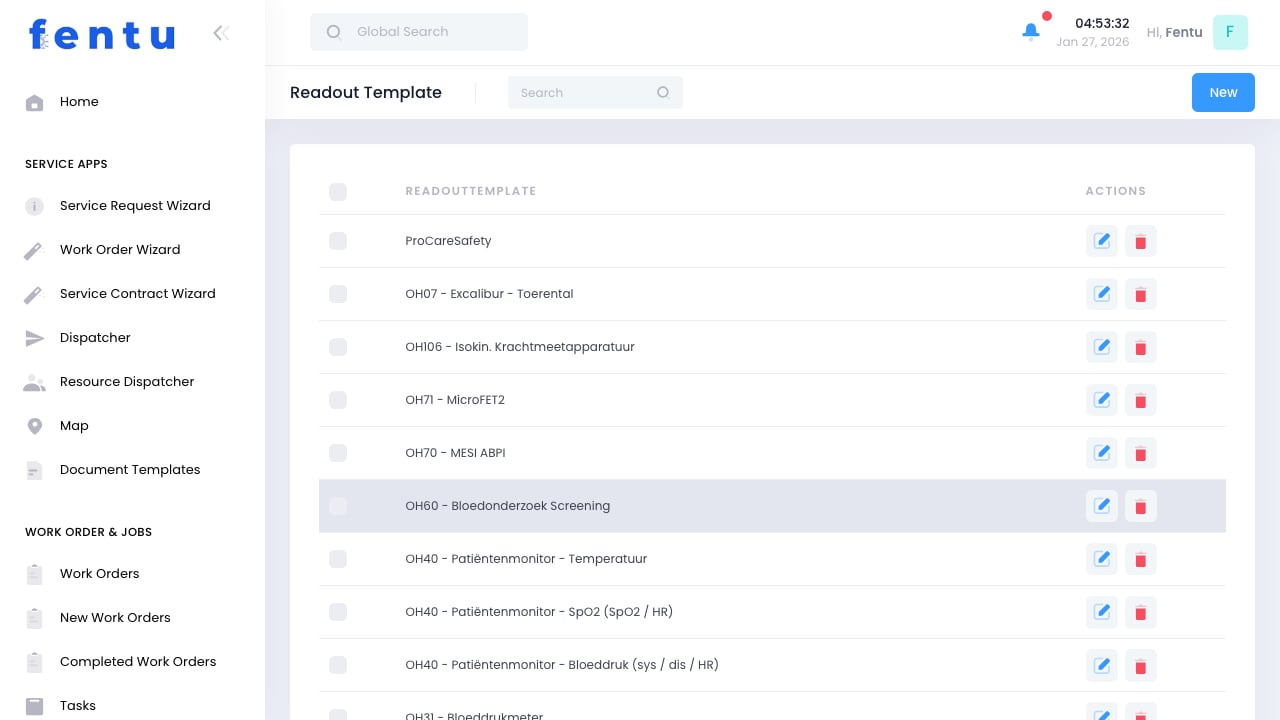
Overview
Readout Templates define the measurements, readings, and data points that technicians need to capture during service visits. These templates standardize data collection, ensuring consistent and complete information is recorded for every piece of equipment.Readout Templates are essential for preventive maintenance programs. They ensure technicians capture the right data points every time, enabling trend analysis and predictive maintenance.
When to Use Readout Templates
Create readout templates when:- Preventive Maintenance - Standardizing readings collected during routine maintenance
- Equipment Inspections - Capturing operational parameters for analysis
- Commissioning - Recording baseline measurements for new installations
- Compliance Requirements - Meeting regulatory documentation requirements
- Performance Monitoring - Tracking equipment efficiency over time
Readout Template Information
Each readout template includes:Field Types
Readout templates can include various field types:Creating Readout Templates
1
Navigate to Readout Templates
Go to Products & Inventory > Readout Templates
2
Click Create
Start a new readout template
3
Enter Template Details
Provide name, description, and equipment type
4
Add Fields
Define each data point to capture
5
Configure Field Properties
Set field types, units, ranges, and requirements
6
Save Template
Save and activate the template
Field Configuration
For each field, you can configure:Edit Measured Variable
When adding or editing an individual variable inside a readout template, the following fields are available:Using Readout Templates
Linking to Assets
Readout templates can be linked to:- Asset Types - Applied to all assets of a specific type
- Individual Assets - Applied to specific equipment
- Service Contracts - Required for contract maintenance visits
Field Completion
When technicians perform service:- Template fields appear on the work order or task
- Technician enters current readings
- System validates entries against defined ranges
- Out-of-range values are flagged for attention
- Data is stored with the asset history
Historical readout data enables trend analysis. Over time, you can identify patterns that indicate developing problems before failures occur.
Template Examples
Machine System Template
Elevator Inspection Template
Best Practices
Keep Templates Focused
Keep Templates Focused
Include only essential data points. Too many fields slow down technicians and may lead to incomplete data.
Use Appropriate Ranges
Use Appropriate Ranges
Set realistic min/max ranges based on manufacturer specifications and actual operating conditions.
Include Reference Values
Include Reference Values
Provide expected values or acceptable ranges in field help text to guide technicians.
Review and Update Regularly
Review and Update Regularly
Periodically review templates based on technician feedback and equipment changes.
Train Technicians
Train Technicians
Ensure technicians understand what each reading means and how to capture it accurately.
Common Questions
Can I modify a template after it's been used?
Can I modify a template after it's been used?
Yes, but be careful. Changes affect future data collection but not historical records. Consider creating a new version for significant changes to maintain data consistency.
How do I handle different equipment models?
How do I handle different equipment models?
Create separate templates for models with different data requirements, or use conditional fields that appear based on equipment attributes.
Can technicians add notes beyond template fields?
Can technicians add notes beyond template fields?
Yes, work orders and tasks have notes sections for additional observations. Templates capture structured data, notes capture context.
How are out-of-range readings handled?
How are out-of-range readings handled?
The system can be configured to flag out-of-range values. This alerts technicians immediately and can trigger follow-up actions.
Can I export readout data for analysis?
Can I export readout data for analysis?
Yes, readout data can be exported through the Export function or accessed via API for integration with analysis tools.
Do readout templates work offline?
Do readout templates work offline?
Yes, mobile apps cache templates for offline use. Data syncs when connectivity is restored.
Related Documentation
Checklists
Inspection and maintenance checklists
Assets
Managing customer equipment
Scheduled Maintenances
Preventive maintenance scheduling
Tasks
Work order task execution