
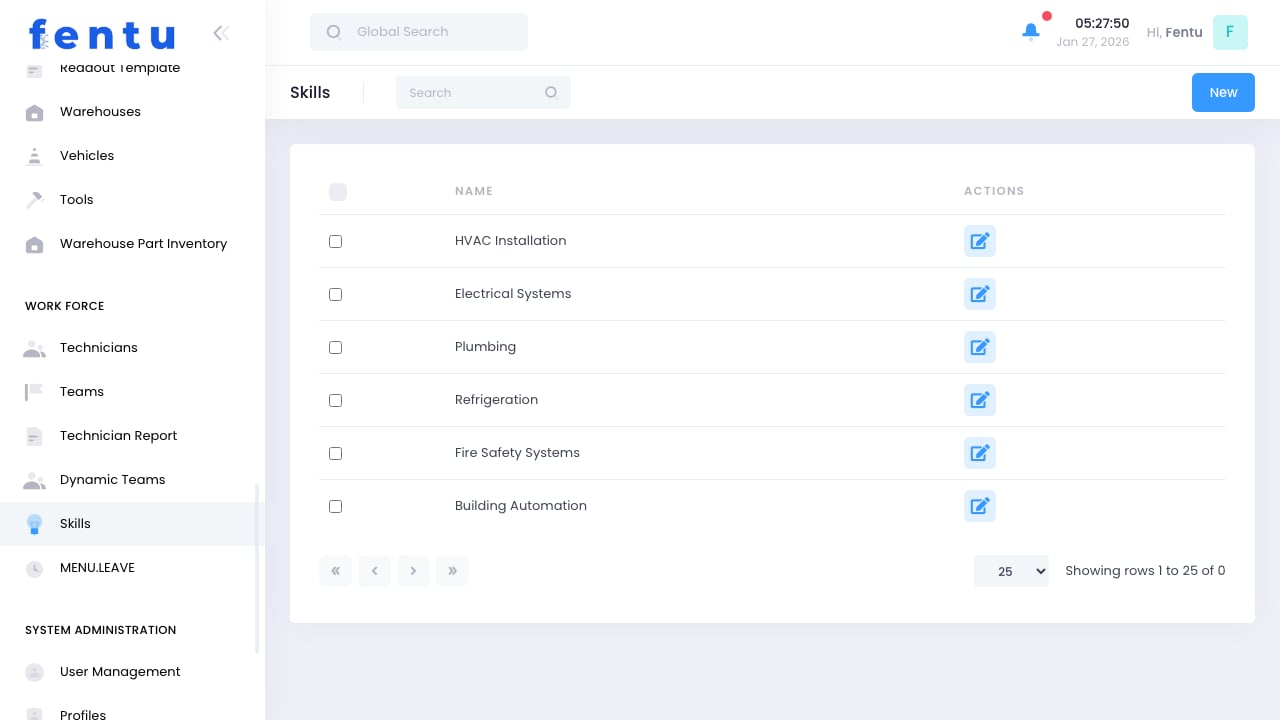
Overview
Skills define the competencies and capabilities that technicians can have. By tracking skills, you enable skill-based dispatching, ensuring work is assigned to technicians qualified to perform it.Accurate skill tracking is essential for quality service. Sending unqualified technicians to jobs leads to poor outcomes and callbacks.
When to Manage Skills
Use the Skills module to:- Define Skills - Create the list of capabilities to track
- Set Requirements - Define what skills are needed for job types
- Track Proficiency - Record skill levels for technicians
- Enable Dispatch - Power skill-based work assignment
- Identify Gaps - Find skills the team is missing
Skill Information
Each skill definition includes:Skill Categories
Organize skills by category:Creating Skills
1
Navigate to Skills
Go to Workforce > Skills
2
Click Create
Start a new skill definition
3
Enter Skill Details
Provide name, code, and category
4
Add Description
Explain what this skill entails
5
Define Proficiency Levels
Set the proficiency scale to use
6
Set Certification Requirements
Link to certifications if required
7
Save Skill
Save the skill definition
Proficiency Levels
Define proficiency grades for skills:Use consistent proficiency levels across all skills. This makes it easier to understand technician capabilities at a glance.
Assigning Skills to Technicians
Individual Assignment
1
Open Technician Profile
Select the technician
2
Go to Skills Section
Navigate to skills tab
3
Add Skill
Select skill from list
4
Set Proficiency Level
Choose appropriate level
5
Add Documentation
Attach training records if applicable
6
Save
Confirm the skill assignment
Bulk Assignment
For multiple technicians:- Select technicians to update
- Choose skill to assign
- Set proficiency level
- Apply to all selected
Skill-Based Dispatch
How It Works
- Work order specifies required skills
- Dispatcher searches for available technicians
- System filters to technicians with required skills
- Only qualified technicians are shown as options
Required vs. Preferred Skills
Skill Level Requirements
Jobs can require minimum proficiency:- Basic: Any level acceptable
- Intermediate: Intermediate or higher
- Advanced: Advanced or Expert only
- Expert: Expert level only
Skill Gap Analysis
Identifying Gaps
Review your workforce for:- Skills no one has
- Skills with too few technicians
- Skills concentrated in few people
- Geographic gaps (skills not available in all areas)
Addressing Gaps
Best Practices
Right-Size Your List
Right-Size Your List
Maintain enough skills for meaningful dispatch but not so many that management becomes overwhelming.
Clear Definitions
Clear Definitions
Write clear descriptions for each skill. What exactly does it mean to have this skill?
Consistent Levels
Consistent Levels
Apply proficiency levels consistently. An “Expert” should mean the same thing across all skills.
Regular Updates
Regular Updates
Review technician skills periodically. Update as people gain experience or complete training.
Link to Training
Link to Training
Connect skills to training programs. Define how technicians achieve each proficiency level.
Use in Performance
Use in Performance
Include skill development in performance discussions. Recognize skill growth.
Common Questions
How many skills should we track?
How many skills should we track?
Track skills that affect dispatch decisions. If two skills always go together, consider combining them. Most organizations track 10-50 skills.
Should certifications be separate from skills?
Should certifications be separate from skills?
Often yes. Skills represent capability, certifications represent official credentials. A technician might have a skill but need certification to legally perform certain work.
How do I handle brand-specific skills?
How do I handle brand-specific skills?
Create separate skills for each brand if dispatch needs to distinguish them. Otherwise, use a general skill with brand certifications.
What if a skill becomes obsolete?
What if a skill becomes obsolete?
Deactivate rather than delete. This preserves historical records while preventing new assignments.
Can skills expire?
Can skills expire?
Skills don’t expire directly, but linked certifications can. Use certifications for time-limited credentials.
How do skills relate to job types?
How do skills relate to job types?
Configure job types to require specific skills. When creating work orders of that type, the skill requirements are automatically included.
Related Documentation
Technicians
Assigning skills to technicians
Dynamic Teams
Skill-based team rules
Dispatcher
Skill-based dispatch
Work Orders
Work order skill requirements