
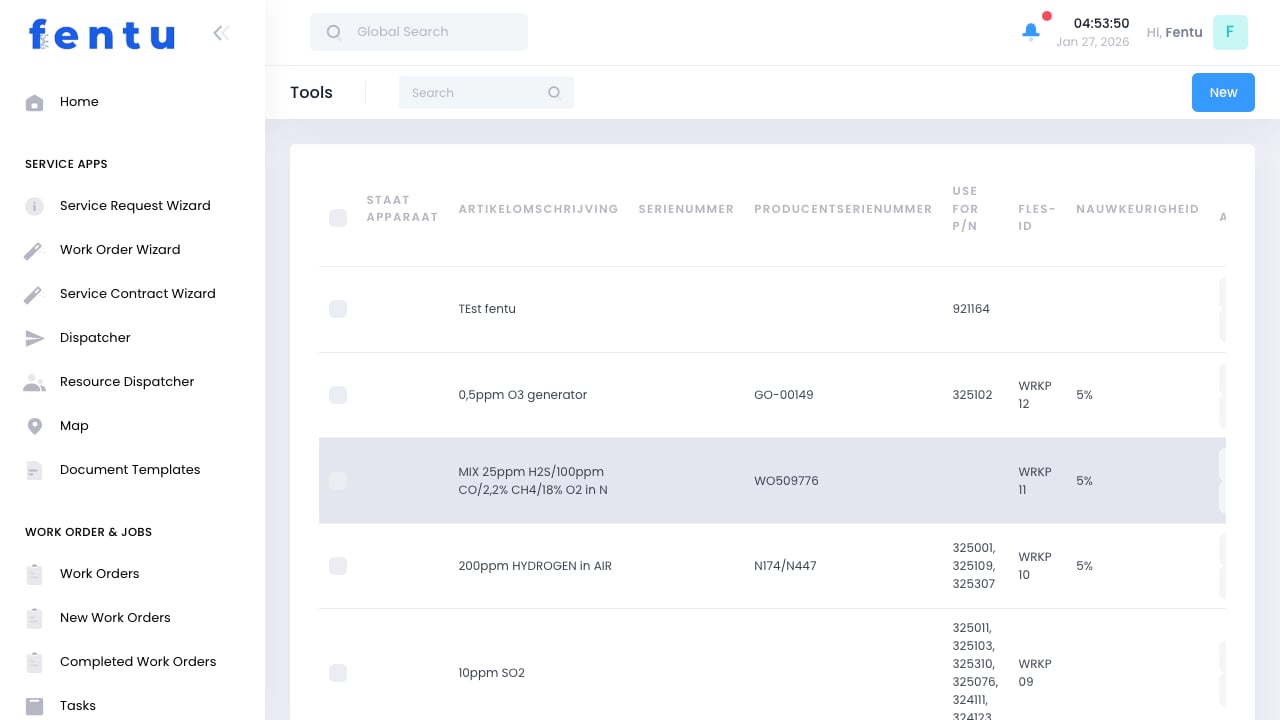
Overview
The Tools module tracks equipment and tools used by technicians in the field. This includes hand tools, power tools, testing equipment, and specialized instruments that require tracking for assignment, calibration, and maintenance.Tool tracking ensures technicians have the equipment they need, calibrated instruments stay current, and expensive tools are accounted for.
When to Use Tools
Track tools for:- Assignment Tracking - Knowing who has which tools
- Calibration Management - Ensuring instruments are calibrated
- Maintenance Scheduling - Planning tool service and repairs
- Cost Control - Tracking tool investments and replacements
- Inventory Management - Knowing what tools you have
Tool Information
Each tool record includes:Tool Categories
Creating Tool Records
1
Navigate to Tools
Go to Products & Inventory > Tools
2
Click Create
Start a new tool record
3
Enter Tool Details
Provide name, serial number, and category
4
Set Calibration Schedule
If applicable, set calibration due date and frequency
5
Assign Location
Specify where tool is stored or who has it
6
Save Tool
Save the tool record
Calibration Tracking
For tools requiring calibration:Tool Assignment
Assigning Tools to Technicians
1
Select Tool
Find tool to assign
2
Choose Technician
Select technician receiving tool
3
Set Assignment Type
Permanent or temporary assignment
4
Document Condition
Note tool condition at assignment
5
Confirm Assignment
Complete and save assignment
Assignment Types
Track tool assignment history to know who had a tool when. This helps with accountability and tracking down missing equipment.
Tool Maintenance
Maintenance Types
Tracking Maintenance History
Record for each maintenance event:- Date of service
- Type of maintenance
- Who performed it
- Cost (if external)
- Parts replaced
- Next service due
Managing Tool Status
Best Practices
Tag Everything
Tag Everything
Put asset tags on all tracked tools. Makes identification easy during audits and if tools are found.
Regular Audits
Regular Audits
Periodically verify tool assignments match physical locations. Address discrepancies immediately.
Calendar Calibrations
Calendar Calibrations
Set up automatic reminders for calibration due dates. Never use out-of-calibration instruments.
Document Condition
Document Condition
Take photos when assigning tools. Helps resolve disputes about damage and wear.
Plan Replacements
Plan Replacements
Track tool costs and lifespans. Budget for regular replacement of worn tools.
Secure Valuable Tools
Secure Valuable Tools
High-value tools should have additional security. Consider GPS tracking for expensive equipment.
Common Questions
Should I track every tool?
Should I track every tool?
No. Focus on high-value tools, calibrated equipment, and shared resources. Common hand tools typically don’t need individual tracking unless they’re expensive.
How do I handle lost tools?
How do I handle lost tools?
Mark the tool as Lost in the system, documenting when and where it was last seen. Keep the record for insurance purposes. Create a new record if a replacement is purchased.
Can tools be assigned to jobs instead of technicians?
Can tools be assigned to jobs instead of technicians?
Yes, tools can be assigned to work orders for specific jobs. This is useful for specialty equipment needed only for certain types of work.
How do calibration reminders work?
How do calibration reminders work?
The system tracks calibration due dates and sends alerts before expiration. You can configure how far in advance to be notified.
Can I track tool usage by job?
Can I track tool usage by job?
Tools assigned to work orders are tracked by job. For general assignment, you can record usage notes but detailed time tracking per job isn’t typically available.
How do I import existing tool inventory?
How do I import existing tool inventory?
Use the Import function to bulk import tool records from a spreadsheet. Include serial numbers and assignment data for complete records.
Related Documentation
Vehicles
Service vehicles carrying tools
Technicians
Managing technician assignments
Parts
Parts inventory management
Import
Importing tool data