
Overview
Complaints in Fentu FSM are warranty claims and manufacturer campaign work attached to service requests (Cases). They track warranty repairs, equipment recalls, manufacturer-mandated updates, and other work where costs are covered by manufacturers or held for customer decision.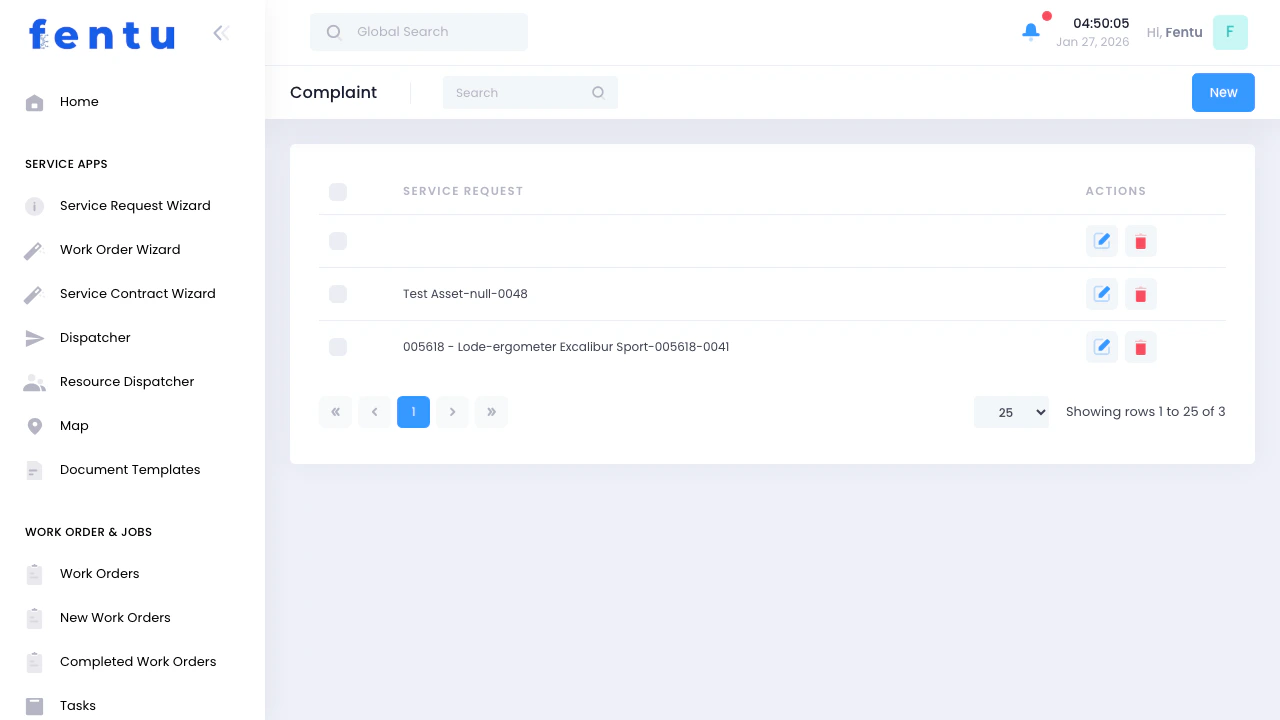
When to Use Complaints
Create complaint records when you need to:- Process warranty repairs covered by manufacturers
- Perform manufacturer recall or campaign work
- Track equipment warranty claims
- Handle work held pending customer decision (interest hold)
- Document warranty parts and labor
- Generate warranty claims to manufacturers
- Link warranty work to service requests
Complaint Types
Fentu FSM supports four types of complaints:Complaints List View
Key Features
Case Linkage
Case Linkage
Warranty Type Indicators
Warranty Type Indicators
Status Tracking
Status Tracking
Job Numbers
Job Numbers
List Columns
Creating a Complaint
Complaints are typically created from service requests when you identify warranty-covered work:Receive Service Request
Diagnose Issue
Create Complaint from Case
Select Complaint Type
Enter Complaint Details
Link Assets
Add Resources
Link Parts
Attach Checklists
Save
Complaint Detail View
Detail View Sections
Complaint Information
Complaint Information
- Case - Service request this complaint is attached to
- Name - Descriptive name for the warranty claim
- Planned Date - When work is scheduled
- Description - Detailed explanation of the warranty issue
- Job Number - Reference number for warranty claim
- Customer - Which customer’s equipment
- Warranty Type - Warranty, Campaign, Equipment Warranty, or Interest Hold
- Status - Open, Quoted, or Closed
Assets
Assets
- Asset name and type
- Serial number
- Warranty coverage details
- Installation date (to verify warranty period)
Resources (Technicians)
Resources (Technicians)
- Technician name
- Role in complaint resolution
- Time spent (for warranty labor claims)
Parts
Parts
- Part number and description
- Quantity
- Asset the part belongs to
- Whether part is warranty-covered
Checklists
Checklists
- Pre-repair checklists
- Post-repair verification
- Campaign completion documentation
- Safety inspection forms
Files/Attachments
Files/Attachments
- Photos of failed parts
- Warranty certificates
- Purchase receipts
- Manufacturer campaign bulletins
- Inspection reports
Complaint Fields
Basic Information
Warranty Information
Record Information
Understanding Complaint Types
Warranty
Standard manufacturer warranty covering defects in materials or workmanship: Example Scenarios:- Compressor fails within warranty period
- Control board defect under manufacturer warranty
- Motor bearing failure covered by warranty
- Verify equipment is within warranty period
- Diagnose failure (must be covered defect, not abuse/neglect)
- Create complaint and document issue
- Obtain warranty parts from manufacturer
- Complete repair and submit warranty claim
- Get reimbursed for labor and parts
- Serial number and purchase date
- Photos of failed part
- Diagnostic notes proving defect (not abuse)
- Repair completion documentation
Campaign
Manufacturer-mandated recalls, safety updates, or modifications: Example Scenarios:- Safety recall for elevator components
- Manufacturer update to fix known issue
- Mandatory software update
- Product improvement campaign
- Manufacturer issues campaign bulletin
- Identify affected equipment at customers
- Create complaints for all affected units
- Schedule campaign work with customers
- Complete modifications per manufacturer specs
- Submit completion documentation to manufacturer
- Get reimbursed per campaign terms
- Campaign bulletin from manufacturer
- Before photos
- After photos
- Completion checklist
- Customer sign-off
Equipment Warranty
Extended warranties or equipment protection plans beyond manufacturer warranty: Example Scenarios:- Extended warranty purchased with equipment
- Third-party equipment protection plan
- Service contract with equipment coverage
- Verify coverage with warranty provider
- Obtain claim authorization number
- Create complaint and document issue
- Complete repair
- Submit claim to warranty provider
- Get reimbursed per contract terms
- Warranty contract or policy number
- Authorization/claim number from provider
- Detailed repair description
- Parts receipts
- Labor hours
Interest Hold
Work identified but held pending customer decision or approval: Example Scenarios:- Repair not covered by warranty, awaiting customer approval
- Found additional issue during warranty work
- Customer requested delay for budget reasons
- Pending parts availability or customer scheduling
- Identify issue during service call
- Create interest hold complaint
- Provide quote to customer if not covered
- Wait for customer decision
- Convert to work order when approved or close if declined
- Quote for customer approval
- Customer communication log
- Reason for hold
Linking Complaints to Cases
The Case → Complaint relationship is fundamental: Case (Service Request):- Customer-facing record of the service request
- “My compressor isn’t working”
- Tracks customer communication and satisfaction
- Internal record of warranty work
- “Compressor failure under warranty”
- Tracks warranty claim with manufacturer
- Customer sees Case status (“we’re working on it”)
- You see Complaint details (warranty claim process)
- Keeps warranty admin separate from customer communication
- One case may generate multiple complaints (found multiple warranty issues)
Complaint Actions
View/Edit Details
Add Assets
Assign Technicians
Add Parts
Attach Checklists
Upload Documentation
Update Status
View Linked Case
Tips and Best Practices
Verify Warranty Before Creating Complaint
Verify Warranty Before Creating Complaint
- Is equipment within warranty period?
- Is the issue a covered defect?
- Are there any warranty exclusions?
- Do you have proof of purchase?
Document Everything
Document Everything
- Photos of failed parts (multiple angles)
- Serial number and model number photos
- Diagnostic test results
- Before and after photos
- Customer sign-off
Track Warranty Parts Separately
Track Warranty Parts Separately
- Use different part numbers or stock locations
- Track warranty part costs separately
- Store failed parts for manufacturer inspection
- Don’t throw away failed parts until claim is approved
Standardize Job Numbers
Standardize Job Numbers
- WR-#### for Warranty Repairs
- CP-#### for Campaign work
- EW-#### for Equipment Warranty
- IH-#### for Interest Hold
Submit Claims Promptly
Submit Claims Promptly
- Submit within manufacturer timeframes (usually 30-90 days)
- Late claims get rejected
- Track submission deadlines
- Follow up on pending claims
Know Manufacturer Requirements
Know Manufacturer Requirements
- Pre-authorization needed?
- What documentation required?
- How to obtain warranty parts?
- Labor rate and time limits?
- Where to submit claims?
Track Warranty Claim Success Rate
Track Warranty Claim Success Rate
- Approval rate (target: 90%+)
- Average reimbursement amount
- Time to payment
- Rejection reasons
Use Interest Hold Strategically
Use Interest Hold Strategically
- Customer needs time to decide
- Waiting for customer budget approval
- Parts availability issue
- Customer scheduling conflict
Common Questions
Why are warranty claims called 'Complaints'?
Why are warranty claims called 'Complaints'?
Do I create a complaint for every warranty repair?
Do I create a complaint for every warranty repair?
- Track warranty work separately from regular work
- Document parts and labor for reimbursement
- Monitor warranty claim success rates
- Generate warranty reports
What's the relationship between Cases and Complaints?
What's the relationship between Cases and Complaints?
- Case: “Machine not working”
- Complaint 1: Warranty - Compressor failure
- Complaint 2: Warranty - Control board defect
How do I know if work qualifies for warranty?
How do I know if work qualifies for warranty?
- Within Warranty Period - Check purchase date and warranty length
- Covered Defect - Failure due to defect, not abuse/neglect/wear
- Proper Installation - Equipment installed per manufacturer specs
- Proper Maintenance - Regular maintenance performed as required
- No Unauthorized Modifications - No changes that void warranty
What's a Campaign complaint?
What's a Campaign complaint?
- Safety recalls
- Product improvements for known issues
- Mandatory updates or modifications
- Field service bulletins
How do I handle parts costs for warranty work?
How do I handle parts costs for warranty work?
- Contact manufacturer for warranty parts
- Manufacturer ships parts at no charge (or credits your account)
- You use parts to complete repair
- Link parts to complaint
- Submit complaint with part documentation
- Get reimbursed for labor
- Keep receipts
- Document why you couldn’t get from manufacturer (emergency, not available, etc.)
- Submit for reimbursement with claim
- Approval not guaranteed if you didn’t follow manufacturer process
What if warranty claim gets rejected?
What if warranty claim gets rejected?
- Insufficient documentation
- Equipment out of warranty
- Failure due to abuse/neglect (not defect)
- Improper installation voided warranty
- Claim submitted too late
- Required pre-authorization not obtained
- Understand reason
- Appeal if you believe rejection is wrong (provide additional documentation)
- If upheld, charge customer for work (convert to regular billable work)
- Learn from rejection to improve future claims
How do Interest Hold complaints work?
How do Interest Hold complaints work?
- Create Interest Hold complaint for additional work
- Provide quote to customer
- Customer decides: approve, deny, or defer
- If approved: convert to work order and complete
- If denied: close interest hold, do warranty work only
- If deferred: keep open until customer ready