
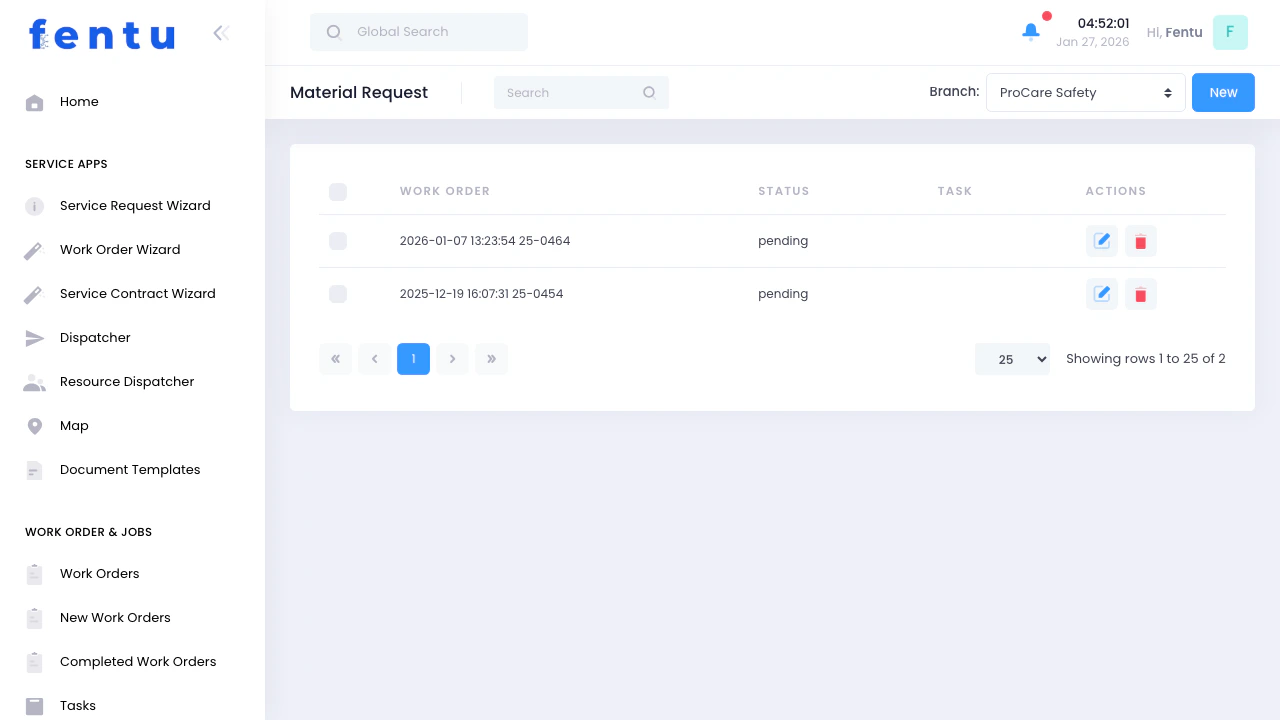
Overview
Time & Material is the execution and consumption layer for work orders. It tracks all materials, parts, and labor used during service execution. Each entry is always linked to a Work Order Task and a Service Object, ensuring full traceability of cost, consumption, and billing.Time & Material ensures that all consumed time and materials are tracked consistently and can be transferred to ERP systems for billing and cost control.
When to Use Time & Material
Time & Material is used when:- Technicians consume parts during execution
- Labor time must be tracked for billing or reporting
- Materials are used for repairs or installations
- Costs must be allocated to Service Objects
- Work needs to be transferred to ERP for invoicing
Core Rule: Service Object Assignment
Every Time & Material entry must be assigned to a Service Object. This ensures:- Accurate cost allocation per Service Object
- Transparent labor and material tracking
- Correct ERP billing structure
- Full traceability of consumption
Time & Material Structure
Each Work Order Task can contain multiple Time & Material entries:Time as a Billable Item
Time is treated as a first-class billing component:- Time is recorded per Service Object
- Time can be billable or non-billable
- Time entries follow ERP costing rules
- Time is aggregated with material consumption
Time is handled in the same way as materials in ERP systems to ensure unified costing and invoicing.
Creating Time & Material Entries
From Work Orders
1
Open Work Order Task
Navigate to the task being executed
2
Select Service Object
Every entry must be linked to a Service Object
3
Add Time Entry
Record technician labor time
4
Add Materials
Select parts and quantities used
5
Confirm Consumption
Validate all entries for posting
Entry Details
Each Time & Material entry includes:Consumption Process
When Time & Material is recorded:- Time & Material are logged per Service Object
- Inventory Items / Materials are consumed from inventory
- Costs are allocated to Work Order Task
- Data is prepared for ERP posting
ERP Integration
When ERP integration is enabled:Time & Material entries are the primary source for ERP billing and cost reporting.
Best Practices
Request Early
Request Early
Create material requests as soon as you know what’s needed. Early requests prevent scheduling delays and improve planning.
Be Specific
Be Specific
Include detailed part descriptions, numbers, and specifications. Vague requests lead to wrong parts and wasted time.
Check Stock First
Check Stock First
Search inventory before requesting. You might already have the part in stock at your warehouse or another branch.
Include Work Order
Include Work Order
Always link requests to work orders. This helps with cost tracking, approvals, and parts assignment.
Set Realistic Priorities
Set Realistic Priorities
Reserve urgent priority for true emergencies. Routine requests should be normal priority.
Document Requirements
Document Requirements
Add notes about why parts are needed, acceptable substitutions, and any special requirements.
Track Delivery
Track Delivery
Monitor expected delivery dates. Follow up on late shipments before they delay work orders.
Verify on Receipt
Verify on Receipt
Inspect all received parts immediately. Report discrepancies or damages to suppliers promptly.
Update Inventory Promptly
Update Inventory Promptly
Add received parts to inventory right away. Accurate inventory prevents duplicate orders.
Common Questions
Can I request materials without a work order?
Can I request materials without a work order?
Yes, for stock replenishment or future needs. However, linking to a work order helps with cost tracking and approval.
What if the part I need isn't in the catalog?
What if the part I need isn't in the catalog?
You can add custom items to material requests. Include detailed description, supplier information, and estimated cost.
How do I handle partial deliveries?
How do I handle partial deliveries?
Update the request to show what was received. Create a new request for remaining items or note backorder status.
Can I modify a request after it's approved?
Can I modify a request after it's approved?
Depends on your system configuration. Some allow edits to approved requests, others require creating a new request. Check with your administrator.
What if we receive the wrong part?
What if we receive the wrong part?
Reject the shipment or note the discrepancy. Contact the supplier for return/exchange. Update the material request status accordingly.
How long should I keep old material requests?
How long should I keep old material requests?
Keep received requests for accounting and audit purposes. Your organization may have retention policies (typically 1-7 years).
Can multiple technicians request the same part?
Can multiple technicians request the same part?
Yes, but check existing requests first to avoid duplicates. Consolidating requests can reduce shipping costs.
What if a request is rejected?
What if a request is rejected?
Review the rejection reason. If still needed, provide additional justification and resubmit, or discuss with the approver.
Related Documentation
Work Orders
Creating and managing work orders
Parts Management
Managing inventory and parts
Quotations
Creating quotes for customer approval
Purchasing
Purchasing and procurement processes