
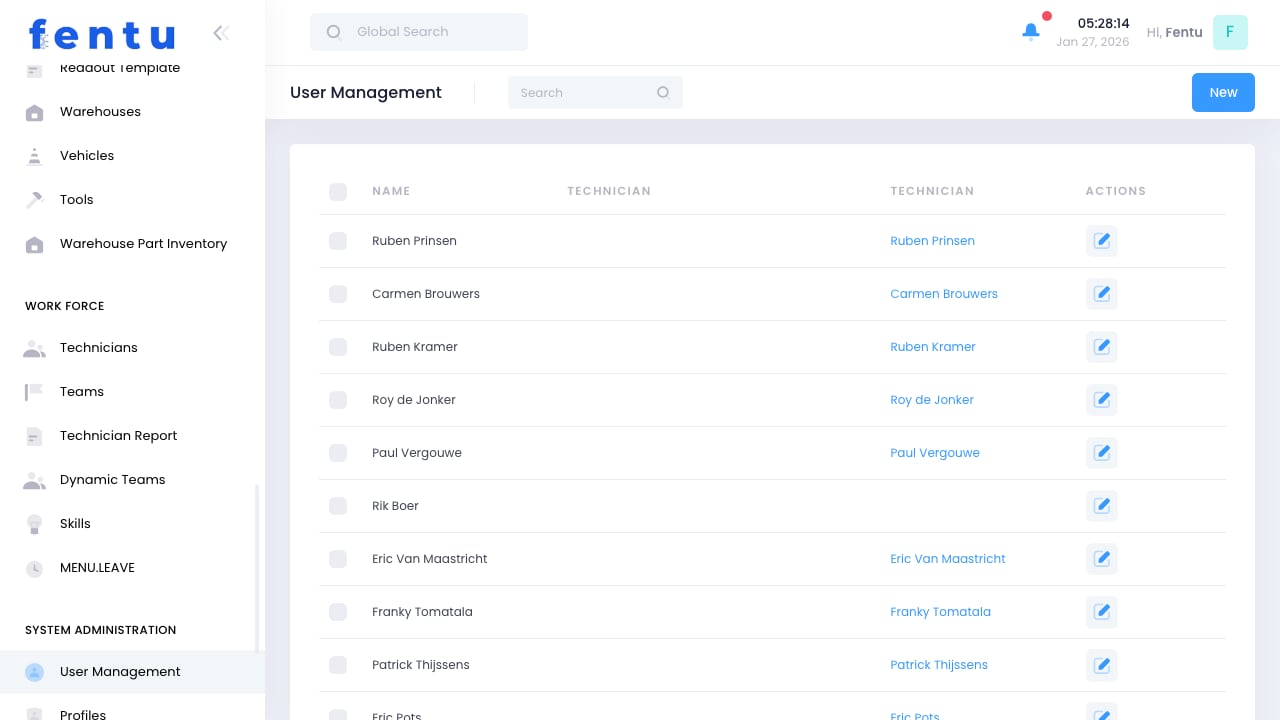
Overview
User Management controls who can access Fentu FSM and what they can do within the system. Each person who needs to log in requires a user account with appropriate permissions based on their role.User accounts are separate from technician records. A technician needs both a technician profile (workforce data) and a user account (system access) to use the mobile app.
When to Manage Users
Access this module to:- Create Accounts - Set up new users
- Manage Permissions - Control what users can access
- Reset Passwords - Help users who are locked out
- Deactivate Accounts - Remove access for departing employees
- Audit Access - Review who has access to what
User Information
Each user account includes:User Types
Creating Users
1
Navigate to User Management
Go to Administration > User Management
2
Click Create
Start a new user account
3
Enter User Details
Provide username, email, and name
4
Set Temporary Password
Create initial password (user should change on first login)
5
Assign Profile
Select the permission profile
6
Set Branch
Associate with appropriate branch
7
Link to Technician
If applicable, link to technician record
8
Save User
Create the account
Linking Users to Technicians
For field technicians:- Create the user account first
- Open the technician record
- Link to the user account
- Or select existing technician when creating user
Managing Permissions
Through Profiles
Permissions are assigned via profiles:- Each user gets one profile
- Profile determines accessible features
- Change profile to change permissions
- See Profiles & Roles for details
Data Access
Control what data users can see:Combine permission profiles with data access levels for granular control. A dispatcher profile with branch-level access sees all work orders but only for their branch.
Account Administration
Password Management
Account Status
Security Features
- Session Timeout - Automatic logout after inactivity
- Login Attempts - Lock after too many failures
- Two-Factor Authentication - Additional login verification
- Password Expiration - Force regular password changes
Bulk Operations
Importing Users
For multiple new users:- Prepare user data in spreadsheet
- Use Import function
- Map columns to user fields
- Review and confirm import
- Send welcome emails with credentials
Exporting User List
Export user data for:- Audit purposes
- Integration with HR systems
- Backup before changes
- Compliance reporting
Best Practices
Unique Usernames
Unique Usernames
Use email addresses as usernames when possible. They’re unique and users remember them.
Minimum Permissions
Minimum Permissions
Give users only the permissions they need. More access means more risk.
Regular Audits
Regular Audits
Periodically review user accounts. Remove or deactivate unused accounts.
Prompt Deactivation
Prompt Deactivation
Deactivate accounts immediately when employees leave. Don’t wait for cleanup later.
Strong Passwords
Strong Passwords
Enforce password complexity. Weak passwords are the most common security vulnerability.
Document Assignments
Document Assignments
Keep records of why users have specific profiles. This helps with audits and reviews.
Common Questions
What's the difference between user and technician?
What's the difference between user and technician?
A user account provides system login access. A technician record contains workforce data. Field technicians need both.
Can one person have multiple user accounts?
Can one person have multiple user accounts?
Generally no. One person should have one account. Use profiles to grant access to multiple areas.
What happens when an account is locked?
What happens when an account is locked?
The user cannot log in. An administrator must unlock it. This typically happens after too many failed login attempts.
Can users change their own email/username?
Can users change their own email/username?
Depending on configuration, users may update their email. Username changes usually require admin action.
How do I transfer work when someone leaves?
How do I transfer work when someone leaves?
Reassign open work orders before deactivating the account. The system may prevent deactivation with active assignments.
Related Documentation
Profiles & Roles
Permission configuration
Technicians
Technician management
System Settings
Security settings
Import
Bulk user import