
Overview
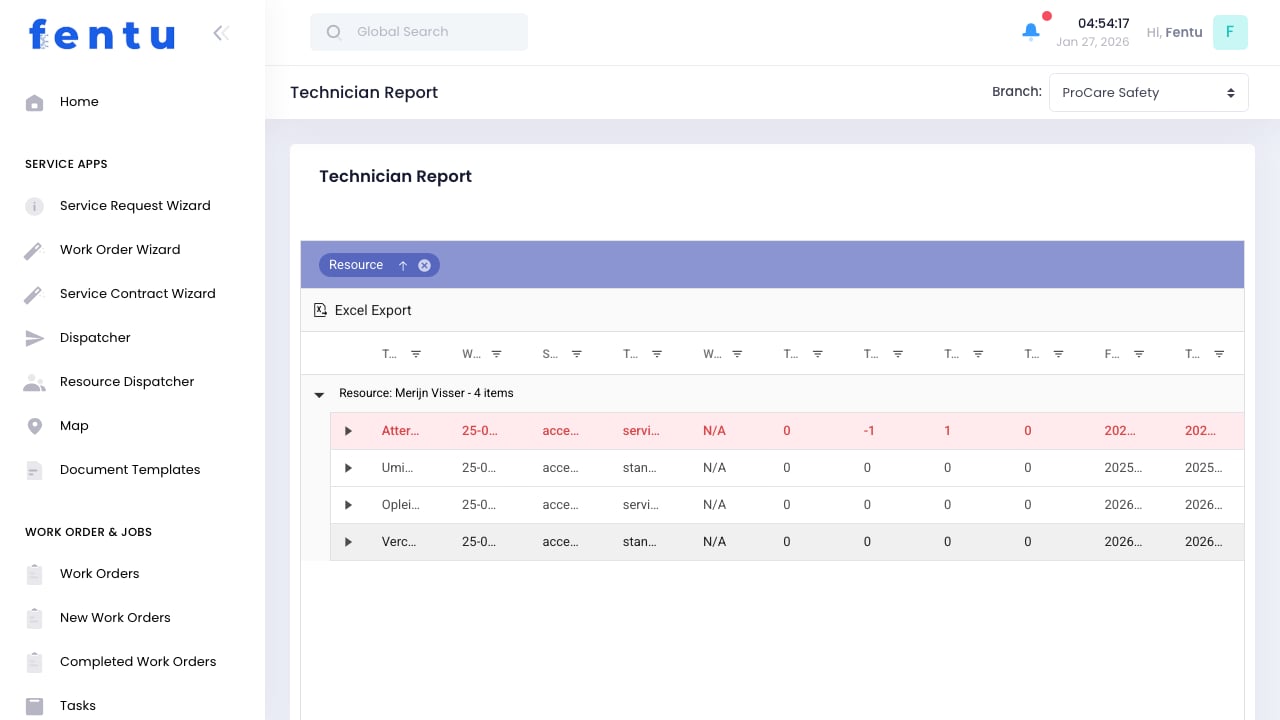
Technician Reports provide insights into field technician performance, productivity, and utilization. These reports help managers identify top performers, training needs, and optimization opportunities.Regular review of technician performance metrics helps improve service quality, identify coaching opportunities, and ensure workload balance.
When to Use Technician Reports
Generate reports for:- Performance Reviews - Supporting employee evaluations
- Capacity Planning - Understanding utilization and availability
- Quality Monitoring - Tracking first-time fix rates and callbacks
- Workload Analysis - Balancing work across the team
- Compensation Decisions - Data for bonus or raise discussions
Available Reports
Productivity Report
Measures work output and efficiency:Quality Report
Measures service quality:Utilization Report
Measures time usage:Revenue Report
Measures revenue contribution:Generating Reports
1
Navigate to Reports
Go to Workforce > Technician Report
2
Select Report Type
Choose productivity, quality, utilization, or revenue
3
Set Date Range
Define the reporting period
4
Select Technicians
Choose individual, team, or all technicians
5
Apply Filters
Add any additional filters (branch, work type, etc.)
6
Generate Report
Run the report
7
Export if Needed
Download as PDF, Excel, or CSV
Filter Options
Key Performance Indicators
Recommended KPIs
Benchmarking
Compare technicians against:- Team average
- Company average
- Historical performance
- Industry benchmarks
KPI targets should be realistic and achievable. Set targets based on current performance levels and improve gradually.
Using Reports Effectively
For Performance Management
- Review reports before one-on-ones
- Identify specific examples for feedback
- Track improvement over time
- Document performance for reviews
For Training Decisions
- Identify skills gaps from quality metrics
- Target training based on callback reasons
- Match new technicians with top performers
For Capacity Planning
- Understand actual vs available capacity
- Identify over or underutilized technicians
- Plan hiring based on utilization trends
- Balance workload across team
For Compensation
- Use objective metrics for bonus calculations
- Support promotion decisions with data
- Identify top performers for recognition
Best Practices
Regular Review Cadence
Regular Review Cadence
Review reports weekly for operational issues, monthly for trends, quarterly for strategic planning.
Context Matters
Context Matters
Numbers alone don’t tell the whole story. Consider factors like territory difficulty, job complexity, and experience level.
Consistent Measurement
Consistent Measurement
Use the same metrics and definitions over time. Changing how you measure makes comparison meaningless.
Act on Insights
Act on Insights
Reports are only valuable if you take action. Use insights to drive improvement.
Avoid Gaming
Avoid Gaming
Design metrics that can’t easily be gamed. Multiple complementary metrics provide a complete picture.
Common Questions
How is utilization calculated?
How is utilization calculated?
Utilization = Billable Hours / Available Hours. Available hours exclude scheduled time off and non-work days.
What counts as first-time fix?
What counts as first-time fix?
A job completed without requiring a return visit for the same issue within a defined period (typically 30 days).
Can technicians see their own reports?
Can technicians see their own reports?
Permissions control this. Many organizations show technicians limited metrics to encourage self-improvement.
How do I account for different job complexities?
How do I account for different job complexities?
Weight metrics by job type or expected duration. Alternatively, compare technicians working similar jobs.
What about new technicians?
What about new technicians?
Exclude very new technicians from comparisons or set different expectations during ramp-up periods.
Can I schedule automatic reports?
Can I schedule automatic reports?
Yes, configure scheduled reports to be generated and emailed automatically at regular intervals.
Related Documentation
Technicians
Managing technician profiles
Time Tracking
Time entry and tracking
Work Orders
Work order completion
Completed Work Orders
Analyzing completed work